
Article: ResMed AirSense 11 Complete Guide (2026): 100 FAQs, Settings, Troubleshooting & Cleaning
ResMed AirSense 11 Complete Guide (2026): 100 FAQs, Settings, Troubleshooting & Cleaning
USCPAP.COM • COMPREHENSIVE PATIENT EDUCATION GUIDE • OCTOBER 10, 2026
ResMed AirSense 11: The Ultimate 2026 Guide — 100 Frequently Asked Questions About Setup, Settings, Masks, Humidification, Troubleshooting, Cleaning, and Sleep Apnea Therapy


Introduction: Everything You Need to Know About the ResMed AirSense 11
Starting continuous positive airway pressure (CPAP) therapy can feel overwhelming. You may be wondering why your machine changes pressure, what your sleep report means, why your mouth feels dry, or whether the equipment is working correctly.
The ResMed AirSense 11 AutoSet was designed to combine positive airway pressure therapy with integrated humidification, digital controls, wireless data capabilities, and patient support features.
Unlike basic CPAP machines, the AutoSet configuration can adjust therapy pressure automatically within a clinician-prescribed range.
The AirSense 11 family also includes fixed-pressure models, and it is important to understand the differences before buying or changing equipment.
According to ResMed, the AirSense 11 AutoSet includes an integrated heated humidifier, wireless connectivity where available, and access to digital coaching through myAir.
Resmed
+1
This guide explains not just how the equipment works, but also how to address common comfort and equipment problems, evaluate therapy information, maintain accessories, and determine when professional assistance is appropriate.
AirSense 11 specifications at a glance
Therapy type
CPAP / APAP by model
Operating pressure range
4–20 cm H₂O
Humidifier
Integrated HumidAir 11
EPR settings
Off, 1, 2, 3
Heated hose
ClimateLineAir 11
Therapy tracking
myAir / device reports
Power supply
65W Air11 adapter
Prescription
Required in the U.S.
Portuguê
Part One: Understanding the AirSense 11 and Its Models


5
1. What is the ResMed AirSense 11?
The AirSense 11 is a family of prescription positive airway pressure devices used to treat obstructive sleep apnea (OSA).
The device delivers pressurized air through a mask to help prevent the upper airway from collapsing during sleep.
Its principal function is to maintain airflow during breathing, rather than providing oxygen or mechanically ventilating a patient.
2. What medical condition does the AirSense 11 treat?
It is intended to treat obstructive sleep apnea, a condition in which the upper airway repeatedly narrows or closes during sleep.
These breathing interruptions can disturb sleep and may contribute to daytime sleepiness and other health problems.
The AirSense 11 is not automatically an appropriate treatment for central sleep apnea, hypoventilation, or every sleep-related breathing disorder.
3. What is the difference between the AirSense 11 AutoSet, Elite, and CPAP?
|
Model |
Therapy |
Key difference |
|---|---|---|
|
AirSense 11 AutoSet |
Auto-adjusting APAP and fixed CPAP modes |
Automatically adjusts pressure in the prescribed range and includes AutoSet for Her |
|
AirSense 11 Elite |
Fixed-pressure CPAP |
Delivers clinician-prescribed fixed pressure with enhanced data capabilities |
|
AirSense 11 CPAP |
Fixed-pressure CPAP |
Basic fixed-pressure therapy with model-dependent reporting features |
The distinction is not simply the appearance of the machines; it is the therapy modes and reporting capabilities.
Portuguê
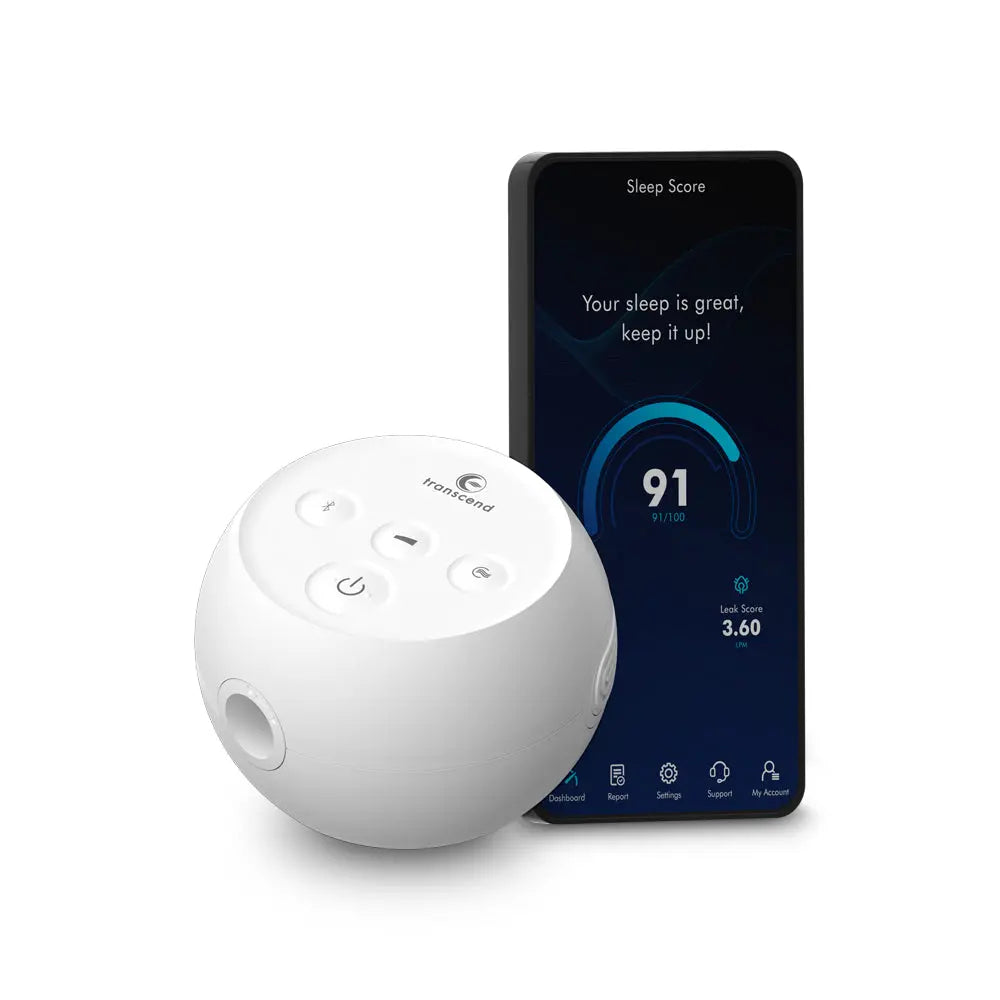
+1
4. What does AutoSet mean?
AutoSet is ResMed's automatic pressure-adjustment technology.
It monitors breathing characteristics and adjusts delivered pressure within a clinician-prescribed range when the algorithm detects patterns associated with upper-airway obstruction.
It does not mean the machine independently diagnoses every breathing disorder or eliminates the need for clinical follow-up.
5. Is the AirSense 11 an APAP or a CPAP machine?
The AutoSet model is an APAP-capable device that can also operate in fixed CPAP mode.
The Elite and basic CPAP versions provide fixed-pressure therapy.
APAP means automatic positive airway pressure, whereas CPAP conventionally refers to a prescribed continuous pressure level.
6. What is AutoSet for Her?
AutoSet for Her is an additional therapeutic algorithm available within the AirSense 11 AutoSet.
It was developed with particular consideration for breathing patterns seen in some women with obstructive sleep apnea.
It is not a completely different machine, nor does it mean all women should automatically use that mode. A clinician should determine whether it is appropriate.
7. Can men use an AirSense 11 with AutoSet for Her?
Yes. The AirSense 11 AutoSet device itself can be used by eligible patients regardless of sex, with therapy mode selected according to clinical needs.
The availability of a mode does not mean every mode is appropriate for every patient.
8. Is the AirSense 11 a BiPAP machine?
No.
Although it can provide expiratory pressure relief, the AirSense 11 is not equivalent to a dedicated bilevel device designed to provide separately prescribed inspiratory and expiratory pressures.
Patients who require bilevel therapy should use a device prescribed for that purpose.
9. Does the AirSense 11 supply oxygen?
No. The machine delivers room air under positive pressure.
Supplemental oxygen requires a separate prescription, appropriate equipment, and compatible integration.
Do not attach oxygen equipment without professional guidance because oxygen introduces additional safety considerations.
10. Does the AirSense 11 cure sleep apnea?
CPAP therapy controls obstructive sleep apnea while it is being used effectively.
It generally does not permanently eliminate the underlying tendency for the airway to collapse.
Some people experience changes in OSA severity with weight changes, surgery, or other treatments, but they should not discontinue prescribed therapy without reassessment.
Part Two: Getting Started With the AirSense 11
First-night setup: A practical sequence
Before your first night
-
Place the AirSense 11 on a stable, level surface where air can circulate freely.
-
Connect the approved Air11 power supply.
-
Fill the compatible water chamber according to its instructions, without exceeding the maximum fill line.
-
Attach the correct tubing to the machine and your compatible mask.
-
Confirm the prescribed therapy settings with your equipment provider.
-
Fit the mask, preferably while lying in your usual sleeping position.
-
Start therapy and check for leaks, unusual noises, or uncomfortable airflow.
-
Use the machine whenever you sleep, including naps, as directed by your healthcare team.
Resmed Shop
11. How do I set up my AirSense 11 for the first time?
Connect the power supply, properly prepare and insert the humidifier chamber, attach compatible tubing and a mask, and check that the prescribed settings have been programmed.
Your clinician or equipment provider should establish the therapeutic pressure settings.
The touchscreen's setup prompts and ResMed's myAir support can help you learn routine operation.
12. Where should I place my machine?
Place it on a stable bedside surface with sufficient clearance around the air intake.
Keep it away from bedding, curtains, heaters, liquids, and locations where it can be knocked over.
A position below the level of the mattress may reduce the chance that water from the tubing reaches the mask, but the machine must remain stable and appropriately ventilated.
13. Do I need to use distilled water?
For the standard HumidAir 11 chamber, ResMed specifies distilled water.
ResMed also offers a different cleanable chamber, with its own water and cleaning requirements.
Follow the exact instructions for the chamber you own, rather than assuming both versions are interchangeable in their care requirements.
Portuguê
14. How much water should I put in the humidifier?
Fill only to the chamber's indicated maximum line.
The amount consumed overnight changes with humidity settings, environmental conditions, mask leak, and usage time.
Overfilling can create water-management problems and should be avoided.
15. Can I use the AirSense 11 without water?
The device can be operated without active humidification if configured appropriately according to ResMed's instructions.
However, running the humidifier chamber dry while heat is active is not the same as correctly turning humidification off.
Consult the manufacturer's instructions or your equipment provider.
16. Do I need the humidifier every night?
Not necessarily. Heated humidification primarily improves comfort and can help manage dryness and congestion.
Some patients are comfortable without it, while others need greater moisture to tolerate therapy.
The appropriate setting depends on comfort, climate, and medical needs.
17. How do I start or stop therapy?
The AirSense 11 has touchscreen controls and a Start/Stop button.
Once your mask and tubing are attached, you can begin or end treatment using the device's controls.
Some configurations also support SmartStart, which can automatically initiate therapy when you breathe into the mask.
18. What is SmartStart?
SmartStart is a feature that can initiate therapy when breathing is detected through the connected mask.
Availability and behavior depend on settings and equipment configuration.
It is a convenience feature, not a replacement for confirming that therapy is actually running.
19. Can SmartStart stop therapy automatically?
Depending on configuration, SmartStart may stop therapy after the mask is removed.
Excessive mask leakage can sometimes interfere with automatic operation, so unexpected shutdowns should be investigated.
20. Should I wear my mask before turning on the machine?
Generally, yes. Put the mask on correctly and confirm that the tubing is securely connected before starting therapy.
Make sure the mask's intentional ventilation openings remain unobstructed.
Never use an unvented mask that is not approved for the equipment.
Part Three: AirSense 11 Pressure Settings, EPR, and Ramp
21. What pressure range can the AirSense 11 deliver?
The published operating range is 4 to 20 centimeters of water pressure (cm H₂O).
This represents the device's technical range—not a recommendation that every patient use the entire range.
Therapeutic pressure should be selected according to the prescribed treatment plan.
Portuguê
22. What does cm H₂O mean?
Centimeters of water is a unit of pressure.
In CPAP therapy, it expresses the pressure applied to help maintain airway openness.
For example, 10 cm H₂O is greater pressure than 6 cm H₂O.
23. How does the AirSense 11 know when to increase pressure?
In AutoSet mode, the device evaluates breathing signals associated with events such as flow limitation, snoring, and obstructive breathing disturbances.
Its algorithm then changes pressure within the prescribed boundaries.
Not every increase signifies a full apnea event, and the machine does not independently determine every patient's ideal medical treatment.
24. What are minimum and maximum pressure settings?
In APAP mode, the minimum pressure is the lowest pressure the machine is permitted to provide, while the maximum pressure limits how high it can adjust.
These boundaries influence the therapy algorithm's available operating range.
Changing them without clinical guidance can impair treatment effectiveness or increase discomfort.
25. Why does my machine sometimes increase pressure during the night?
Pressure may increase in response to breathing patterns that indicate greater upper-airway obstruction.
Sleep position, REM sleep, nasal congestion, and other factors can influence pressure needs.
If pressure frequently awakens you, review the device data and comfort settings with your sleep clinician.
26. What is EPR on the AirSense 11?
EPR stands for Expiratory Pressure Relief.
It reduces pressure during exhalation relative to inhalation, within the device's operating limits.
This can make breathing out against pressurized air feel more comfortable.
27. What do EPR levels 1, 2, and 3 mean?
ResMed specifies nominal expiratory pressure reductions of:
|
EPR setting |
Pressure relief |
|---|---|
|
Off |
No EPR reduction |
|
1 |
Up to approximately 1 cm H₂O |
|
2 |
Up to approximately 2 cm H₂O |
|
3 |
Up to approximately 3 cm H₂O |
The device cannot reduce delivered pressure below its 4 cm H₂O minimum. The actual effect also depends on the prescribed operating conditions.
Portuguê
28. Should I set EPR to 3?
Not automatically.
EPR may improve comfort, but a larger pressure reduction can affect the pressure supporting the airway during exhalation.
Discuss changes with your treating clinician, especially if residual events persist.
29. Can EPR make sleep apnea worse?
In some circumstances, excessive expiratory relief may reduce the pressure needed to maintain airway patency.
The effect depends on individual physiology and settings.
Do not treat EPR as merely a comfort feature with no potential therapeutic consequences.
30. What is Ramp Time?
Ramp is a comfort feature that allows treatment to begin at a lower or more comfortable pressure before transitioning toward therapeutic pressure.
It may help people who find full treatment pressure difficult when first falling asleep.
31. What is AutoRamp?
AutoRamp is ResMed's feature designed to provide a comfortable starting pressure and transition toward the prescribed treatment pressure when sleep onset is detected.
It may be helpful for some new users but is not necessary for everyone.
32. Can ramp make it feel like I am not getting enough air?
Some users may feel uncomfortable with a low starting pressure.
Others prefer the gentler transition.
If you experience air hunger, discuss whether the ramp starting pressure and timing are appropriate with your equipment provider.
33. Can I change my own treatment pressure?
Routine comfort adjustments may be available to patients, but therapeutic pressure changes should be made according to the prescriber's instructions.
A change that feels comfortable does not necessarily produce adequate treatment.
34. What does it mean when my pressure reaches the maximum?
It means the machine has reached the maximum pressure allowed by the prescribed APAP range.
This can occur during certain breathing patterns, but a single observation is not sufficient to diagnose a problem.
Persistent pressure-limit events, residual symptoms, or abnormal reports warrant clinical review.
35. Why does the pressure feel stronger when I wake up?
The device may have increased pressure in response to events occurring during sleep.
You may also become more aware of the airflow when awake.
Look at patterns over several nights and consult your clinician if pressure repeatedly disrupts sleep.
Part Four: HumidAir 11, ClimateLineAir 11, Humidity, and Heated Tubing


6
36. What is the HumidAir 11 humidifier?
HumidAir 11 is the integrated heated humidification system in the AirSense 11 family.
It adds moisture to the airflow to help reduce common comfort problems such as dry nasal passages, mouth dryness, and congestion.
The humidifier works with a removable water chamber and can be used with compatible standard or heated tubing.
37. What is ClimateLineAir 11 heated tubing?
ClimateLineAir 11 is ResMed's heated air tubing designed for compatible Air11 devices.
When combined with the HumidAir 11 water chamber, it supports automatic or manual Climate Control functionality.
It helps manage the temperature and moisture of delivered air and may reduce condensation within the tubing.
Resmed
38. Can I use my old AirSense 10 heated tubing with the AirSense 11?
No. The AirSense 11 uses its specific ClimateLineAir 11 heated tube.
The AirSense 10 ClimateLineAir heated hose is not the compatible heated-tubing product for the AirSense 11.
Do not force a connection or use an unofficial adapter to bypass the manufacturer's compatibility requirements.
39. What is Climate Control Auto?
Climate Control Auto is a feature available with the compatible heated tube and humidifier chamber.
ResMed's documentation describes an automatic tube-temperature setting of approximately 80°F (27°C), with humidification designed to maintain a comfortable relative humidity level.
It is intended to simplify temperature and moisture management.
ResMed Documents
40. What is Climate Control Manual?
Manual mode permits adjustment of humidity and tubing temperature independently.
It can help users who prefer warmer or cooler airflow or need to address moisture problems.
Manual operation does not guarantee that condensation will be prevented.
41. What do humidity settings 1 through 8 mean?
They represent increasing levels of humidifier output.
Setting 1 is the lowest active humidification level, while 8 is the highest.
The numbers are not percentages and do not correspond directly to a guaranteed room-humidity reading.
42. What is the best humidity level?
There is no universal best setting.
A comfortable level should provide adequate moisture without excessive condensation.
Someone experiencing nasal dryness may benefit from more humidification, while someone with water collecting in the mask may need a different temperature-humidity balance.
43. Why am I waking up with a dry mouth?
Dry mouth may result from mouth breathing, mask leakage, inadequate humidity, or other factors unrelated to CPAP.
If you use a nasal mask, air may escape through your mouth during sleep.
Consider a mask-fit review and humidification assessment rather than automatically increasing therapy pressure.
44. Why is my nose dry when using CPAP?
Airflow, environmental dryness, leakage, and insufficient humidification can contribute.
Proper humidification and a compatible mask fit may help.
Persistent irritation or bleeding should be evaluated by a healthcare professional.
45. Why is water collecting inside my CPAP hose?
This is commonly called rainout.
It occurs when humidified air cools and water condenses inside the tubing.
It can cause gurgling noises or droplets entering the mask.
46. How do I stop CPAP rainout?
Start by checking that ClimateLineAir 11 is properly connected and consider using Climate Control Auto.
ResMed advises that increasing tubing temperature may reduce condensation in Manual mode. If water continues collecting, reducing humidity may also help.
Do not place the machine where spilled or condensed water can enter its electrical components.
ResMed Documents
47. Why does my humidifier run out of water overnight?
Water consumption depends on humidity settings, room conditions, air leakage, pressure, and sleep duration.
A water chamber that empties frequently may indicate high humidification demand or excessive leaks.
Never overfill past the maximum line in an attempt to make it last longer.
48. What if the humidifier stops heating?
Check the user-accessible settings, correct chamber installation, and visible equipment condition.
If an error message appears or the humidifier continues to malfunction, contact the equipment provider.
Do not open the machine or attempt an internal electrical repair.
49. Can I add essential oils to my CPAP water?
No. Do not add essential oils, perfumes, medications, or other substances to the humidifier chamber unless specifically permitted by the manufacturer for that system.
The chamber is intended to humidify air using approved water, not deliver inhaled fragrances or medication.
50. Can I use the AirSense 11 without its water chamber?
ResMed offers an Air11 side cover for configurations that do not use the humidifier chamber.
Use the proper compatible part rather than leaving an opening exposed.
Portuguê
Part Five: ResMed AirSense 11 Masks and Fit

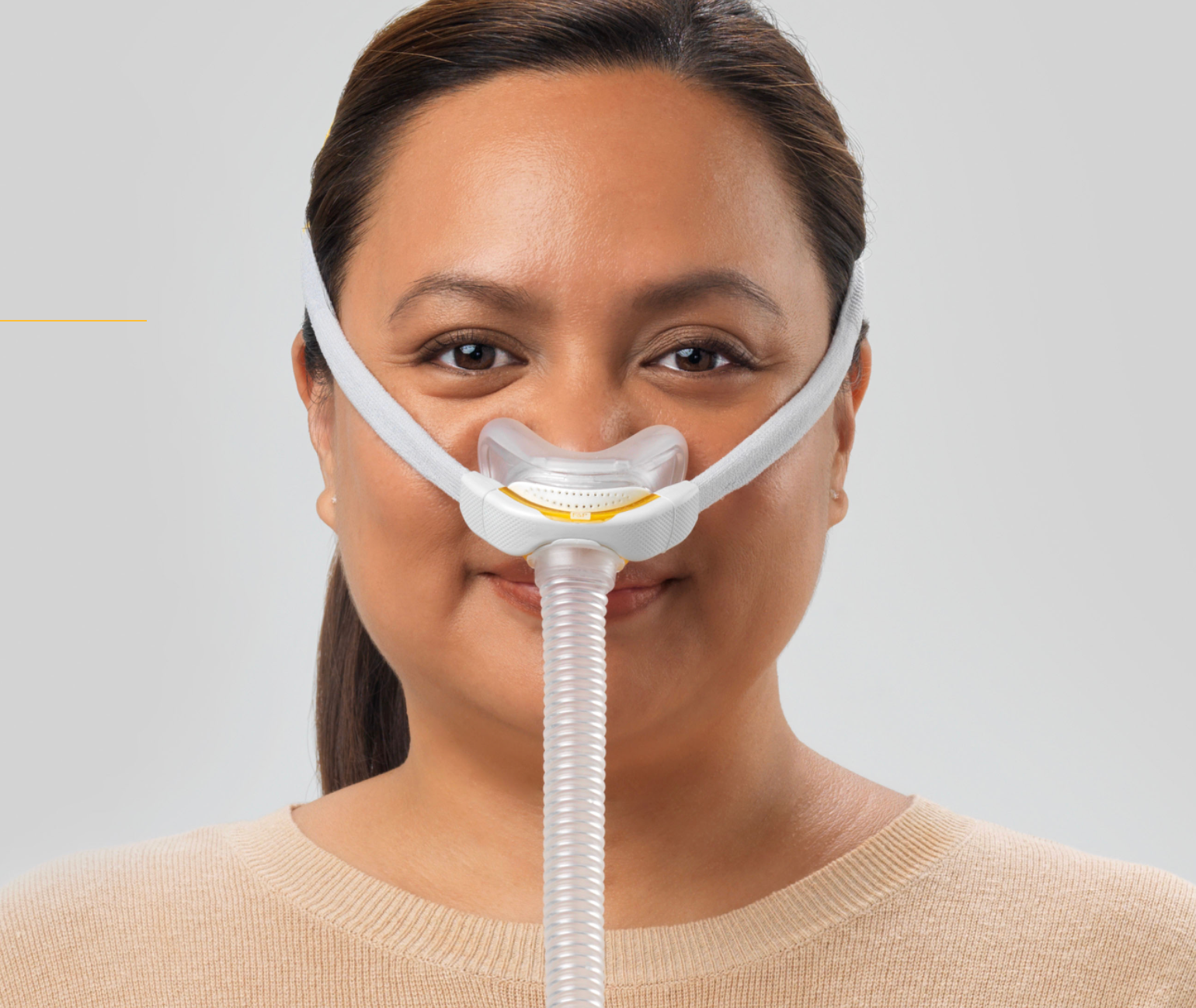
Nasal mask
Covers the nose
Nasal pillows
Seals at the nostrils
Full-face mask
Covers nose and mouth51. Which CPAP masks work with the AirSense 11?
The AirSense 11 supports compatible vented CPAP masks, including nasal masks, nasal-pillow masks, and full-face masks.
ResMed offers products such as AirFit and AirTouch masks.
Compatibility should be confirmed using the manufacturer's device-and-mask guidance, especially with specialized masks or tubing arrangements.
52. Which is better: nasal pillows or a full-face mask?
Neither design is universally preferable.
Nasal pillows have a minimal contact area but may be uncomfortable for some users, particularly at certain pressure levels or with nasal irritation.
Full-face masks cover the nose and mouth and may help people who cannot reliably breathe through their nose during treatment.
53. Are full-face masks better for mouth breathers?
They can be, particularly when substantial mouth leakage interferes with therapy through a nasal interface.
However, mouth breathing does not automatically mean a full-face mask is required.
Nasal obstruction, mask fit, humidity, and other factors should also be considered.
54. Why is my mask leaking?
Common reasons include incorrect size, displaced headgear, worn cushions, facial movement during sleep, or a mask that does not seal well with the prescribed pressure.
Small amounts of airflow from a mask's intentional exhaust ports are normal.
A problematic leak is different from that designed ventilation.
55. How tight should my mask be?
Tight enough to maintain a comfortable seal according to the specific mask's fitting instructions, but not so tight that it causes unnecessary pressure or skin injury.
Overtightening can distort some cushions and make leaks worse.
56. Why do I wake up with red marks on my face?
Temporary marks may occur where the mask contacts the skin.
Persistent redness, pain, skin breakdown, or sores may indicate excessive pressure or an unsuitable mask fit.
Consider a different cushion size or mask style and seek professional assessment when irritation persists.
57. Can I use a CPAP mask if I have facial hair?
Possibly, although facial hair can interfere with the seal of some mask designs.
Different cushion materials and mask styles may perform differently.
The goal is a comfortable, stable seal without excessive tightening.
58. What does the Mask Fit function do?
The AirSense 11 offers features for assessing mask sealing during use.
Mask-fitting tools can help identify leaks, but they do not replace correctly sizing the mask or reviewing therapy data.
59. Can I use magnetic CPAP mask clips with the AirSense 11?
The machine itself is not the deciding factor; the mask's magnetic components and the patient's medical circumstances matter.
ResMed has issued safety guidance for masks containing magnets. Patients with certain implants or medical devices, and people sleeping nearby with such devices, should carefully review the current contraindications and warnings.
60. Does my mask need to be replaced regularly?
Yes. Cushions, headgear, and other components deteriorate with use and cleaning.
Replacement should be based on the manufacturer's guidance, physical condition, and applicable insurance coverage—not on a calendar alone.
Part Six: myAir, Sleep Reports, AHI, and Therapy Data


4
61. What is ResMed myAir?
myAir is ResMed's patient support platform for compatible sleep apnea therapy devices.
It offers therapy-related information, coaching, and progress tracking.
ResMed also describes support features such as Personal Therapy Assistant and Care Check-In for eligible AirSense 11 users.
Resmed
62. Is myAir free?
ResMed provides myAir as a patient support application for compatible devices.
Availability, supported features, accounts, and regional requirements may vary.
Check the current app and service information before registering.
63. Does the AirSense 11 need Wi-Fi?
It generally uses cellular connectivity for supported remote data functions, along with Bluetooth for certain local connections and setup activities.
A home Wi-Fi connection is not ordinarily required for the machine to deliver prescribed CPAP therapy.
Connectivity availability depends on the device and network conditions.
64. Will the machine work if there is no cellular signal?
Yes, its prescribed positive airway pressure therapy does not require an active cellular connection.
However, remote reporting and connected services may not update normally when network access is unavailable.
65. What is a myAir score?
It is a simplified daily feedback score based on factors such as usage, mask seal, and detected breathing events.
A high score may indicate a favorable night of measured device performance, but it does not prove that all sleep-related problems have been resolved.
66. What does AHI mean?
AHI stands for Apnea-Hypopnea Index.
It reflects the number of apneas and hypopneas per hour.
During CPAP therapy, the machine reports an estimate based on its own detection algorithms. Device-reported AHI is not identical to a complete laboratory sleep study measurement.
67. Is an AHI under 5 considered good?
An AHI below 5 events per hour is commonly used as a reference point, but acceptable treatment results are individualized.
Someone may have a low machine-reported AHI yet still experience poor sleep, excessive sleepiness, problematic leaks, or another untreated sleep disorder.
68. Why is my AHI still high while using the AirSense 11?
Possible causes include persistent obstructive events, significant mask leakage, unsuitable prescribed pressure settings, central events, or limitations in device-reported data.
Persistent elevations deserve clinician review rather than self-directed changes to pressure.
69. What is the difference between obstructive and central apneas?
An obstructive apnea occurs when airflow is blocked despite ongoing breathing effort.
A central apnea occurs when breathing effort temporarily decreases or stops because of a different respiratory control mechanism.
The AirSense 11 AutoSet can classify certain events, but device classifications are not a comprehensive medical diagnosis.
70. Can the AirSense 11 detect central sleep apnea?
The AutoSet includes technology that reports certain central apnea patterns.
However, reporting potential central events does not mean the device treats central sleep apnea or replaces clinical evaluation.
Persistent central-event reports should be discussed with a sleep specialist.
ResMed Support
71. What does a 95th-percentile pressure mean?
It is a statistical measure showing the pressure at or below which the machine operated for approximately 95% of the measured period.
It is not necessarily the ideal fixed prescription pressure.
Interpreting it requires consideration of leaks, event patterns, settings, and symptoms.
72. What happens if my myAir data doesn't update?
Check whether the device has power, whether a cellular connection is available, and whether your account is associated with the correct machine.
Data transmission may be delayed.
If the device is operating normally, a reporting delay alone does not necessarily indicate a therapy failure.
73. Can my doctor see my AirSense 11 data remotely?
Potentially, if remote monitoring services are properly set up and your provider has the appropriate access.
ResMed's AirView platform supports clinician and equipment-provider workflows.
Remote data access depends on connectivity, service arrangements, and applicable privacy rules.
74. Can the AirSense 11 receive software updates?
Yes. ResMed supports over-the-air software updates for eligible connected Air11 devices.
Updates may address device functionality, software maintenance, or available support features.
ResMed Support
75. Is myAir a replacement for my sleep doctor?
No.
myAir can help with patient engagement and routine coaching, but it does not replace an individualized medical assessment.
This is especially important when symptoms persist despite apparently satisfactory scores.
Part Seven: Cleaning, Disinfection, Filters, and Replacement Supplies
76. How often should I clean my AirSense 11 equipment?
ResMed recommends a regular cleaning routine that includes daily attention to the mask cushion and humidifier tub and weekly cleaning of components such as tubing, headgear, and the mask frame, subject to the exact product instructions.
Use warm water and suitable mild detergent as specified. Different mask materials may require different cleaning procedures.
Resmed
77. How do I clean the HumidAir 11 chamber?
Turn off and disconnect the machine as instructed, remove the chamber, empty any remaining water, and clean it according to the applicable chamber instructions.
Rinse thoroughly and allow components to dry appropriately before reassembly.
Use the guidance for the standard or cleanable chamber you actually own.
78. How do I clean ClimateLineAir 11 heated tubing?
Disconnect the tubing and wash it according to ResMed's instructions using warm water and suitable mild dishwashing liquid.
Rinse thoroughly and allow it to dry out of direct sunlight and heat.
Do not place heated tubing in a washing machine or dishwasher.
Resmed Shop
79. How often should I change the AirSense 11 filter?
Inspect the filter regularly.
ResMed suggests checking filters approximately twice a month and replacing them when visibly dirty, damaged, or according to the applicable replacement recommendations.
Do not operate the machine without the required filter.
80. Can I wash and reuse disposable filters?
No. Disposable machine filters should be replaced according to their instructions, not washed and reused.
Moisture and damage can affect filter performance.
81. Should I use an ozone CPAP cleaning machine?
The FDA has warned about potential respiratory risks and material damage associated with certain ozone-based CPAP cleaning devices.
Routine soap-and-water cleaning according to the manufacturer's instructions remains essential.
Do not assume a cleaning machine can safely replace normal maintenance.
FDA
82. Are UV CPAP cleaners safe?
The FDA has also raised concerns regarding unverified UV-based cleaning products, including whether ultraviolet light reaches all necessary surfaces and potential exposure or material-damage risks.
Any authorized accessory must still be used according to its specific indications and does not replace manufacturer-directed cleaning.
83. Can I put my entire AirSense 11 in water?
No.
The main device contains electrical and mechanical components and must not be immersed or washed like a detachable water chamber.
Clean the exterior only as directed by ResMed.
84. How often should I replace CPAP supplies?
ResMed provides general replacement guidance, although exact intervals vary by product and insurer.
|
Component |
Common replacement guidance |
|---|---|
|
Mask cushions / nasal pillows |
Approximately monthly; some styles more frequently |
|
Disposable air filter |
Approximately monthly, or sooner if needed |
|
Mask frame |
Approximately every 3 months |
|
Air tubing |
Approximately every 3 months |
|
Headgear |
Approximately every 6 months |
|
Humidifier water chamber |
Approximately every 6 months |
These are broad manufacturer resupply guidelines, not mandatory replacement deadlines. Replace damaged parts sooner and verify insurance allowances.
Resmed
+1
85. Are AirSense 10 and AirSense 11 replacement parts interchangeable?
Not all of them.
The AirSense 11 has its own water chambers, filters, power accessories, and heated tubing requirements.
Some compatible masks may work across different ResMed systems, but never assume device-specific parts are interchangeable.
Part Eight: Troubleshooting the ResMed AirSense 11
The following chart is designed to help identify common problems without changing clinical settings or attempting unsafe repairs.
|
Problem |
Potential cause |
Appropriate first step |
|---|---|---|
|
Dry mouth |
Mouth leak or insufficient humidity |
Check mask fit and humidification |
|
Water in hose |
Condensation / rainout |
Review Climate Control and tube temperature |
|
Whistling mask |
Unintended leak |
Inspect mask assembly and cushion |
|
Machine not starting |
Power connection or equipment fault |
Check accessible connections |
|
Excessive pressure sensation |
Ramp, pressure changes, or mask discomfort |
Review symptoms with provider |
|
No myAir data |
Transmission delay or network issue |
Check connection and account |
|
Low usage hours |
Therapy interruption or short usage |
Review actual usage patterns |
|
Frequent awakenings |
Mask, pressure, dryness, or other sleep issues |
Assess comfort and consult clinician |
|
Persistent high AHI |
Residual events or inaccurate readings |
Obtain professional data review |
|
Unusual mechanical noise |
Tubing, air intake, or equipment problem |
Stop and inspect safely |
86. Why is my AirSense 11 making a whistling noise?
A whistling sound may come from a mask leak, poorly seated hose connection, worn seal, or damaged accessory.
Check the mask fit and user-accessible connections.
A new or unusual noise from inside the machine should be evaluated by an equipment provider.
87. Why do I feel like I am suffocating when wearing CPAP?
The sensation can result from discomfort with the starting pressure, mask configuration, nasal obstruction, anxiety, or other respiratory issues.
Practice only as directed by your care team, check equipment fit, and request clinical support if symptoms continue.
If you experience severe breathing difficulty or chest pain, seek immediate medical attention.
88. Why does my AirSense 11 suddenly turn off?
Possible explanations include loss of electrical power, an automatic stop function, a disconnected component, or a device fault.
Check the display for messages and inspect normal external connections.
Repeated unexpected shutdowns should be evaluated promptly because they may interrupt necessary therapy.
89. What does an air leak warning mean?
It indicates that the machine has detected a level of unintended airflow loss that may interfere with therapy or accurate event detection.
Check the mask seal, tubing, and humidifier chamber seating.
Persistent excessive leakage requires troubleshooting with a knowledgeable provider.
90. Why do I wake up bloated after using CPAP?
Bloating or belching may be associated with aerophagia, the swallowing of air during therapy.
Pressure settings, sleep position, and mask behavior may contribute.
Talk to your clinician before making pressure changes, especially if symptoms are frequent or painful.
91. Why do my ears hurt when using CPAP?
Positive airway pressure may affect pressure sensations in the ears or sinuses.
Congestion and other ear conditions may also contribute.
Persistent pain, hearing changes, or severe symptoms warrant medical evaluation.
92. What should I do if my AirSense 11 displays an error message?
Record the exact message and follow the applicable owner-manual troubleshooting instructions.
Do not disassemble the machine or attempt undocumented resets, repairs, or electrical modifications.
Contact your equipment supplier or ResMed support when directed.
Part Nine: Traveling With the AirSense 11
93. Can I bring my AirSense 11 on an airplane?
Yes, it is designed for travel, and ResMed provides aviation-compliance information.
When traveling by air, carry the machine as medical equipment, protect it from damage, and confirm the airline's requirements if you plan to operate it during the flight.
94. Can I use my AirSense 11 internationally?
The device uses a compatible AC power adapter, but you may need a plug adapter depending on the destination.
Verify the power supply's input rating and local electrical compatibility.
Do not use unapproved power converters or accessories.
95. Can I use the AirSense 11 in a camper or RV?
Potentially, with a compatible, appropriately rated power source.
Consider overnight power availability, battery capacity, humidifier power demand, and any required approved DC power accessory.
Never assume a small portable battery will operate the full system all night.
96. What happens to CPAP therapy during a power outage?
The AirSense 11 will stop delivering therapy if it loses power.
A compatible external backup power solution may be helpful, subject to the manufacturer's compatibility instructions.
People who depend on therapy should discuss an emergency power plan with their healthcare team.
97. Is the AirSense 11 the same as the ResMed AirMini?
No.
The AirMini is a separate travel-focused CPAP device with a smaller form factor and a different humidification approach.
The AirSense 11 is a home-oriented therapy device that is also portable enough for many travel situations.
98. Can I travel with water in the humidifier?
You should empty the chamber before transporting the machine to avoid water entering the device or damaging belongings.
Carry water separately if needed and refill the chamber after positioning the machine at your destination.
99. Can I take my AirSense 11 through airport security?
Yes, although airport security personnel may need to inspect medical equipment according to applicable screening procedures.
Use a protective carrying case and follow the airport and airline instructions.
100. Should I stop using CPAP when I travel?
Generally, prescribed CPAP therapy should continue whenever you sleep, including during travel, unless your clinician advises otherwise.
Plan ahead for electricity, clean water, tubing, masks, replacement supplies, and compatible travel power accessories.
Part Ten: Medicare, Insurance, Prescriptions, and Equipment Ownership
Does Medicare cover an AirSense 11?
Original Medicare Part B may cover a medically necessary CPAP device for an eligible beneficiary diagnosed with obstructive sleep apnea.
Medicare describes an initial 12-week CPAP trial. Continued coverage depends on meeting applicable medical documentation and follow-up requirements.
After the Part B deductible, the patient generally pays 20% of the Medicare-approved amount when the supplier accepts assignment. Medicare also describes a 13-month rental arrangement for covered CPAP equipment under appropriate circumstances.
Medicare
Do I need a prescription to purchase an AirSense 11?
Yes. In the United States, the AirSense 11 is a prescription medical device.
A prescription or appropriate medical order is necessary for lawful dispensing.
Does Medicare cover AirSense 11 replacement parts?
Eligible replacement masks, cushions, tubing, filters, and related items may be covered under applicable Medicare rules.
Specific quantities, supplier requirements, documentation, and replacement allowances vary.
Is the AirSense 11 covered by private insurance?
Many private insurance plans cover medically necessary CPAP therapy, but benefits differ.
Some plans require rental periods, prior authorization, participating suppliers, usage documentation, or particular device classifications.
Always verify benefits before purchasing.
Do insurance companies require four hours of CPAP use every night?
Many insurers use adherence benchmarks involving at least four hours of use on 70% of nights over a specified consecutive period, especially during an initial compliance window.
However, the exact policy must be confirmed, and four hours is not necessarily an adequate clinical goal. Patients should generally use prescribed therapy throughout their sleep period.
How long does an AirSense 11 last?
ResMed provides general guidance suggesting that CPAP devices may commonly operate for approximately five to seven years, although actual lifespan varies.
Equipment condition, function, clinical needs, warranty terms, and insurer replacement policies affect when replacement is appropriate.
Resmed
Is the AirSense 11 a good upgrade from the AirSense 10?
The AirSense 11 offers a newer interface and additional connected support features.
However, someone whose AirSense 10 is working correctly and delivering effective therapy may not need to upgrade solely because a newer model exists.
Important considerations include clinical needs, equipment condition, cost, comfort preferences, and compatibility of replacement parts.
Should I buy a backup CPAP machine?
A backup device may be beneficial for people who travel frequently, experience power or equipment problems, or cannot readily obtain replacement equipment.
A backup machine should have appropriate prescribed settings and be maintained in working condition.
A backup is not a substitute for treating repeated failures of the primary machine.
Part Eleven: Expert Guidance for Getting More Comfortable With CPAP Therapy
A CPAP machine is most helpful when it is used consistently, with a properly fitted mask and appropriate clinical settings.
For many patients, the greatest challenges are not caused by the machine's basic capabilities. They involve mask discomfort, dryness, pressure intolerance, anxiety during adaptation, or uncertainty about whether therapy is working.
What to do during your first 30 days
AirSense 11 first-month checklist
Patient guide
Days 1–3
Become familiar with the mask, touchscreen, tubing, and routine. Check the mask fit while lying down.
Days 4–7
Watch for dryness, condensation, skin irritation, or major leakage. Learn how to clean the equipment.
Week 2
Review usage consistency and discuss unresolved comfort issues with your equipment provider.
Week 3
Review therapy trends rather than relying on a single night's AHI or myAir score.
Week 4
Confirm any required insurance compliance follow-up and discuss residual symptoms with the sleep clinician.
When should you contact your sleep specialist?
Contact your prescribing clinician when symptoms remain troublesome despite regular use, when residual breathing-event reports remain elevated, or when you develop persistent pressure intolerance, significant mask-related injury, or suspected new central events.
Seek urgent medical attention for severe shortness of breath, chest pain, or another potentially serious new symptom.
Choosing an AirSense 11: A final comparison
|
Your priority |
What to consider |
|---|---|
|
Automatically changing pressure |
AirSense 11 AutoSet |
|
Fixed prescribed pressure |
AirSense 11 Elite or CPAP variant |
|
Added patient coaching |
myAir-compatible connected setup |
|
Dryness and congestion management |
HumidAir 11 settings |
|
Reducing water condensation |
ClimateLineAir 11 and Climate Control |
|
Easier exhalation |
Clinician-approved EPR settings |
|
Monitoring treatment |
Device reports and clinical data review |
|
Travel and portability |
Carrying case, compatible power, and airline planning |
Shop ResMed CPAP Equipment and Supplies at USCPAP.com

Your sleep therapy deserves the right equipment.
Whether you're researching an AirSense 11, replacing your mask, upgrading to heated tubing, or looking for compatible filters and humidifier chambers, understanding product compatibility is essential.
Explore USCPAP.com for CPAP equipment and supplies. Confirm current availability, compatibility, prescription requirements, and product details before ordering.
Remember: Successful sleep apnea therapy is about more than buying a CPAP machine. It involves finding the right mask, using the equipment consistently, maintaining your supplies, and working with your healthcare team when adjustments are needed.
Complete Bibliography: ResMed AirSense 11 Research and Official References
The following resources were reviewed for this guide, with emphasis on manufacturer's instructions, product compatibility, treatment features, patient safety, maintenance, and coverage policies.
A. Official ResMed product and technical documentation
1. ResMed. AirSense 11 CPAP Device: Product Overview, Features, and Support. Includes information on the device family, humidification, myAir, setup, and replacement parts. Official AirSense 11 Overview.
Resmed
2. ResMed. AirSense 11 User Guide: English, French, Spanish, and Portuguese. Manufacturer operating instructions covering indications, contraindications, setup, controls, humidification, cleaning, troubleshooting, travel, and technical specifications. Official User Manual (PDF).
Portuguê
3. ResMed. AirSense 11 AutoSet: Healthcare Professional Product Information. Description of the AutoSet and AutoSet for Her algorithms, humidification, event detection, and connected patient-support tools. AutoSet Technical Overview.
Resmed
4. ResMed. AirSense 11 AutoSet Product Support. Manufacturer support documents, device-specific resources, and software/battery information. AutoSet Support Center.
ResMed Support
5. ResMed. Air11 Software Updates. Device functionality updates, support features, and information about updates delivered to connected machines. Air11 Software Information.
ResMed Support
B. Humidification, masks, and replacement equipment
6. ResMed. CPAP Humidification and Tubing Accessories. Official compatibility and descriptions for ClimateLineAir 11, HumidAir 11, and other humidification systems. Humidification and Tubing.
Resmed
7. ResMed. ClimateLineAir Heated Tubing for Air11 Devices. Manufacturer information about cleaning, compatibility, maintenance, and handling. Heated Tubing Guide.
Resmed Shop
8. ResMed. Cleaning CPAP Equipment: Everything You Need to Know. Instructions and precautions for cleaning masks, tubing, and humidifier chambers. ResMed Cleaning Guide.
Resmed
9. ResMed. CPAP Replacement Guidelines. Manufacturer's recommendations for replacing filters, cushions, tubing, water chambers, and other components. Replacement Guidelines.
Resmed
10. ResMed. When to Replace CPAP Supplies. Practical patient education covering replacement schedules and supply maintenance. CPAP Resupply Education.
Resmed
11. ResMed. CPAP Supplies and Replacement Parts. Component inspection and replacement indicators. Replacement Parts Resource.
Resmed
C. Digital monitoring, support, and troubleshooting
12. ResMed. myAir: Personalized CPAP Therapy Support. myAir application, daily therapy feedback, education, and coaching tools. ResMed myAir.
Resmed
13. ResMed. Frequently Asked Questions. Patient questions on CPAP therapy, reporting, SmartStart, maintenance, masks, and replacement supplies. ResMed Patient FAQs.
Resmed
D. Medicare and government safety resources
14. Medicare.gov. Continuous Positive Airway Pressure (CPAP) Therapy. Original Medicare Part B coverage, initial trial periods, documentation, equipment rentals, and patient costs. Medicare CPAP Coverage.
Medicare
15. Medicare.gov. Durable Medical Equipment Coverage. Medicare eligibility rules and durable medical equipment coverage. DME Coverage Information.
Medicare
16. U.S. Food and Drug Administration. Do You Need a Device That Claims to Clean a CPAP Machine? Federal safety information on ozone and ultraviolet cleaning devices, associated risks, and regulatory authorization. FDA CPAP Cleaner Guidance.
FDA






Leave a comment
This site is protected by hCaptcha and the hCaptcha Privacy Policy and Terms of Service apply.